
Clinical Problem
The glide path stage is where clinicians often lose control early. Narrow canals, apical curvature, and restricted access can make it difficult to reach working length reproducibly before the shaping sequence begins.
Rotary glide path control before shaping begins.
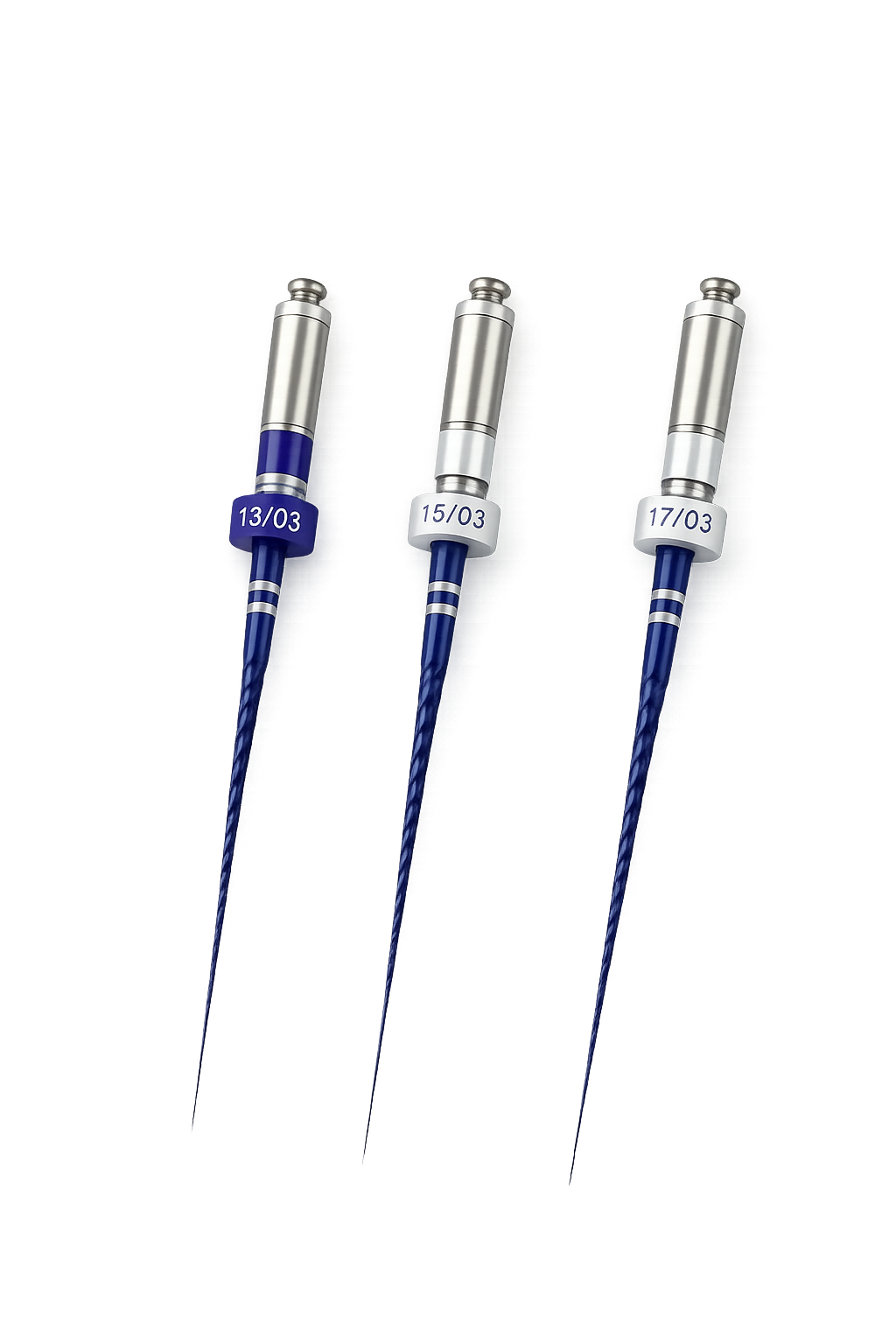
Acrobat Glide Path Files use Transform Metal Technology to support controlled progression to working length before the shaping sequence, with a simple 13/.03, 15/.03, and 17/.03 rotary range plus a dedicated MB2 option.
Clinical Problem
The glide path stage is where clinicians often lose control early. Narrow canals, apical curvature, and restricted access can make it difficult to reach working length reproducibly before the shaping sequence begins.
TransformX Solution
Acrobat Glide Path Files apply rotary progression and Transform Metal Technology to the negotiation stage, helping clinicians establish a more controlled path to working length before introducing their shaping system.
Key Features
Acrobat keeps the rotary glide path message simple: a clear .03 progression for routine cases, length options across the range, and a dedicated MB2 file where access is tighter.
Built specifically for rotary glide path progression before shaping, keeping the negotiation stage clinically separate from the main shaping sequence.
Applies Transform Metal Technology to the glide path stage, supporting a more flexible file response where canal anatomy becomes less forgiving.
A clear size sequence gives clinicians a simple rotary glide path progression from initial negotiation through to a more established path.
Available in 21 mm, 25 mm, and 29 mm formats so the glide path stage can stay consistent across different case lengths.
A 15/.05 file in 17 mm extends the system for MB2 access and other cases where reduced headroom favours a shorter rotary instrument.
Positions the clinician for a smoother transition into the shaping sequence once reproducible working-length access has been established.
Clinical Benefits
Each product detail is tied back to the same clinical goal: reach working length with more control before shaping places greater demand on the canal.
Addresses the clinical problem of entering the shaping stage too early by establishing a more controlled glide path to working length first.
Links file flexibility directly to the clinical need to progress safely where canal curvature and reduced diameter increase procedural risk.
Supports a more anatomy-respecting preparation pathway before larger shaping files are introduced into the canal.
Presents glide path creation as a deliberate, structured stage rather than an improvised step between access and shaping.
The shorter 17 mm MB2 option helps when coronal access and visibility make a conventional file length less practical.
The existing ET workflow already starts with Acrobat 13/.03 at 300 RPM and 2.0-2.5 Ncm, so the page can connect directly to the documented sequence.
Clinical Use
Product Range
The core Acrobat range is built around 13/.03, 15/.03, and 17/.03 rotary glide path files in 21 mm, 25 mm, and 29 mm lengths, with an additional 15/.05 17 mm MB2 file.
| File | 21 mm | 25 mm | 29 mm |
|---|---|---|---|
| 13/.03 | ACGP-130321RF | ACGP-130325RF | ACGP-130329RF |
| 15/.03 | ACGP-150321RF | ACGP-150325RF | ACGP-150329RF |
| 17/.03 | ACGP-170321RF | ACGP-170325RF | ACGP-170329RF |
MB2 Option
15/.05 17 mm
SKU: ACGP-150517RF
Shorter file format positioned for MB2 access and other cases where reduced coronal headroom changes the feel of a standard-length glide path instrument.
Technique Reference
Current documented setting
The current ET technique and motor settings pages both position Acrobat 13/.03 as the opening glide path instrument at 300 RPM (with maximum 500RPM) and 2.0-2.5 Ncm before the main shaping sequence begins.
Why it matters
This gives the Acrobat page a direct clinical anchor: it is not presented as an abstract accessory, but as the first controlled rotary stage before ET shaping begins.
Evidence Support
A recent review on glide path preparation summarised the same category-level rationale that supports Acrobat: glide path creation helps reduce torsional stress, improves the safety of subsequent rotary shaping, and supports preservation of original canal morphology before larger instruments are introduced.
The review also highlights why rotary glide path files matter most in narrow, calcified, and curved canals, where controlled progression to working length becomes harder to reproduce with consistency.
Reference Summary